Showing posts with label Business. Show all posts

Monday, March 11, 2013

10 Ways To Lose Your Data In 2013

Symantec has created a handy infographic explaining the 10 ways to lose your data in 2013 either you are individual or running a small business there are chances to lose personal stuff or business information. It's little make you laugh, but it illustrate some important advices on what not to do and what you should avoid.

10 ways to lose your data in 2013 with tips, how to lose your information


Plug in the USB drive you just found and use it

You wouldn't want to waste free storage, would you? USB storage devices are commonly used to spread malware. Even plugging a phone into your USB slot to change it can spread viruses.

Advertise your absence

Out of office notifications seem innocent but can give cyber-criminals valuable reconnaissance to launch attacks (who to contact, how long or why you're out) - targeted attacks against SMBs (small businesses) doubled to 36% in the past year. Limit the information in your auto-reply so cyber-criminals have less to work with.


Accept friend requests from people you don't know

You can never have too many friends, right? Cyber Criminals use social networks to spread viruses, perpetrate fraud, and distribute spam and phishing messages - 70% of SMBs do not have policies for social media use. Keep your guard up - a friend of follower isn't necessarily who they say they are.

Skip using screen lock on your phone or tablet it's a pain

When a business-connected mobile device is lost, there's more than an 80% chance an attempt will be made to breach corporate data and/or networks. Use the screen lock features with a strong password or "draw to unlock" pattern.

Download mobile applications willy nilly

Mobile malware has increased by an average 55% every month. Only use app marketplaces from legitimate vendors and always read the fine print to avoid apps requiring excessive policies and permissions, like uploading all of your contact.


Send financial reports to your boss via free Wi-Fi at the airport

Mobile devices and free Wi-Fi mean you can be productive anytime, anywhere, but who else is lurking there? 67% of people use unsecured Wi-Fi. If it's an unknown network, use HTTPS connection or opt for a WI-Fi privacy application.

Take confidential data home with you; you're just doing your job

Employees copy confidential data to un-encrypted USBs, send to personal email accounts or upload to file sharing sites - 54% admit to removing information without permission. If it's confidential, encrypt it before it leaves the office.


Click here to confirm your flight or claim your obscure lottery winnings

Attackers hide malware in random email or text messages. These fake messages can be very convincing. If you didn't book the flight or it just seems phishy, don't click - 1 in 367 emails sent to SMBs are malicious.


Wait to back up your files/server until tomorrow, or the next day

Backups take time, but putting them off can devastate a small business - 52% lost productivity and 29% lost revenue in a typical outage. Identify critical resources, use backup solutions and test frequently that recovery is working.


Use Fluffy (your pet's name) for your password on multiple sites

Passwords can be easy to crack 82% of users re-use passwords and 40% write them down. Use unique passwords with 8 characters or more, and letters, numbers and symbols (e.g #$!?), but don't keep them on a sticky note.


What to do?

You are not helpless in 2013 to stop data loss at your home/company. Consider these best practices to protect your critical information. Don't wait until it's too late, know what you need to protect, always encrypt confidential information and data, use strong and unique password combination. Use a reliable security solution(antivirus/antimalware program) and keep it up to data.

Via : Symantec

Saturday, November 24, 2012

How To Create A Free Business Blog In 15 Minutes

One of the most effective forms of getting noticed on the web and inbound marketing is a business blog or site. Engage your customers with your latest news, services, views and developments and help build brand loyalty.
If you have a brick and mortar business that lacks an online presence - read more to find out how to create a free business blog in 15 minutes!

Sign up

Visit WordPress.com and sign up for a free blog. All you need is an email address. If you don't have one of those - head-over to G-mail.com and get one. If you have a domain, head over to WordPress.org and upload the file to your site.

Choose a domain

While signing up for WordPress.com you will eventually be asked for a domain name. Take a minute to think about this. If you want to rank in Google for any specific term (like cars), try to use that word in the domain name. You will also be asked if you want to purchase a premium domain, this isn't required to start, but if you want to remove the wordpress.com from your website address, that is how you do that.

Settings

Once you are done setting up your site you can log in (or will automatically be logged in). When logged into the back-end of your site you will see a menu on the left. Near the bottom of this menu is settings. Go through these and tweak the settings as you see fit. There is no real right or wrong here, most decisions are personal preference. You can control things like privacy (the more public the better for your business) how many posts appear and etc.

User profile

WordPress is a bit different from a stand alone website as it is also a community of sorts. Since this is the case, you have a user profile and I highly suggest you take advantage of it. Of someone is reading you blog and wants to learn more about you they will check it out. If they find it empty or unfilled it will look unprofessional.
Also Read : Avoiding the Common Mistakes Bloggers Make in the Beginning

Theme

WordPress allows you to change/customize the entire look of your site trough the use of a theme. The theme is essentially a skin or layout that controls the entire look and feel of your site. You can find the theme selection area under Appearance in the WordPress menu. Choose a theme that you like. Try to avoid the default theme because it is always overused.

Widgets

Widgets can also be found under Appearance in your menu. Widgets control what appears in the sidebar along with your body or content in theme. Most themes have a sidebar area either on the left hand or right hand of your site (maybe both, maybe footer too!).

Content

The next and mos major part of your website is the content. Using Pages and Posts you can add content to your website. Pages are used for static information (doesn't change too often). You could add pages like "about us" and "contact us". Pages will automatically appear in the navigation of your site.
Posts will make up the majority of your content (and this is what your visitors looking for). Here you can add helpful tips related to your business, announce sales, and share company news or what ever you like.
To get the most out of your blog or website, add content regularly and often. Set a frequency, post; daily, weekly or monthly.

Share

Now all that left is to share your site. Put a brand, poster, banner or logo up at your business, ad your website to all promotional material and use Facebook, Google page, Twitter or any popular social networking site that you like and mention your new blog on there as well.

Read more posts on beginner guides to blogging

Source : Caroline-baxter.com/how-to-build-a-business-blog-in-just-40-minutes-infographic

Saturday, November 10, 2012

How Your Facebook Page Should Look Like

An excerpt from a longer article that summarizes how to update your business or website Facebook Page in 15 Minutes.

Cover - Use this space for your logo. You have 851px by 315px of space. Make it clean and creative.

Timeline Apps - You can have up to four boxes or tabs here to market your brand. We used Pagemodo.com to quickly build one free tab to explain what we do.

About Us - Update this space to include a link to your website with a call-to-action.

Be Visual - Facebook Timeline caters more toward visual posts. Instead of text, include more pictures or videos to engage your followers.

Pin It - Pin important posts to the top of your wall for up to 7 days. Great for temporary deals and call-to-actions.

4 Best Easy To Use Facebook Fan Page Applications

  1. Make Coupon for your Facebook Fan Pages - Facebook.com/CouponsApplication
  2. Share any file with your customers/visitors Facebook.com/FileShareOnFanPage
  3. Live-chat tab for online customer support or just for fun Facebook.com/apps/application.php?id=117816694983243
  4. Add static HTML, YouTube channel or videos, Twitter tweets and many more applications to make a customized Facebook page tab Involver.com/applications.
How Your Facebook Page Should Look Like
By visual.ly/how-update-your-restaurant-page-facebook-timeline-15-minutes.

Friday, November 9, 2012

Avoid Becoming Your Office Place A Bacteria Home

Millions of people all over the world spend an inordinate amount of time in an office space, working in close proximity with others. This makes them a prime source of germs and illness. So how clean is your office.

Water cooler - Nearly one quarter of water cooler buttons are considered a serious risk for illness transmission.

Keyboards - Most office keyboards contains 70% more bacteria than a toilet seat.

Telephones - Office (mobile or desk) phones have around 25,000 germs per square inch.

Taps - 75% of office tap handles are considered a serious risk for illness transmission.

Surfaces - Cold and flu viruses can survive for up to 18 hours on hard surfaces. In addition, bacteria increase by up to 31% per day on surfaces that are not regularly disinfected.

Office desks - Office desks have been found to be more than 400 times dirtier than a toilet seat. The area where your hands rest has around 10,000 bacteria on average.

Working sick - 72% of workers feel that working sick spreads diseases in the office.

Washing hands - 78% wash their hands often to help prevent to spread of disease.

Cleaning - 30% of workers clean their phone keyboard and desk to kill germs.

Calling in sick - Despite it being the best way to prevent the spread of disease, 52% of workers feel bad calling in sick.

What to do

  • Wash your hands regularly.
  • Disinfect your desk, keyboard, mouse, monitor screen and phone.
  • Along with air-freshener, carry antibacterial hand gel and use it often.
  • Disinfect your hands after using the kitchen.
  • Disinfect your hands after using the bathroom.
  • Stay at home if you're unwell.
  • Use trained, reputable cleaners.

What to avoid

  • Avoid unnecessary handshakes*.
  • Avoid coming in when you're ill.
  • Avoid meetings where you know people are ill.
  • Avoid placing food straight onto solid surfaces.
  • Avoid eating at your desk**.
  • Avoid using other people's phones.
  • Avoid cheap or untrained cleaners.
* 80 percent of infections are spread through hand contact.
** Eating at your desk can cause food to fail into your keyboard, making it an ideal place for bacteria to survive and multiply.

How Clean Is Your Office : Avoid Becoming Your Office Place A Bacteria Home infographic
How Clean Is Your Office? by Master Cleaning Services

Wednesday, November 7, 2012

Key Tips From World's Leading Internet And Marketing Experts

26 of the world's leading internet and mobile marketing experts share one key tip that helped launch their careers into the stratosphere.

Steve Olsher - The secret to life is identifying your WHAT - That is, the one thing you were born to do - and pursuing it with reckless abandon.

Janet Bray Attwood - When you are clear, what you want will show up in your life, and only to the extent that are clear.

Christopher (Kit) Codik - Gain large-scale exposure by forming meaningful relationship with the biggest companies in the game. Expand exposure through the reach of others.

Dean Delisle - Surround yourself with intelligent people you trust, and use their knowledge to elevate your business to the next level".

Mike Filsaime - History has repeatedly shown that initiative combined with incentive begets undeniable results".

Patrick Flynn - Passive income allows you to earn money on a regular basis without significant effort to maintain cash flow.

Kathleen Gage - Don't just work a job. Cultivate a career.

Steve harrison - Too often companies create what they think customers will want. Take the time to find out what your target audience actually needs.

Dan Hollings - Mobile is no longer optional.
Pamela Levy - An effective leader should concentrate on what they do best and enjoy most. Everything else can be outsourced, ignored, or completed by a capable employee.

Mike koenigs - Leverage the 10x10x4 model. Monetizing your expertise by broadcasting your message to the world and establishing yourself as an expert has never been easier.

John Kremer - Marketing is business, not just a necessary promotional tool.

Armand Morin - Create products that make existing tasks easier or automate existing tasks.

Mike Muhney - Apps can be lucrative but must be viewed as a component of overall marketing/branding mix.

Marc Ostrofsky - The riches are in the niches. Do one thing, do it better than anyone else, and get paid extraordinarily well for your specific talent.

Christian Pankhurst - Model those you admire. In the past, this was called plagiarism. Today, it's known as modeling. Don't recreate the wheel. Simply paint it your own color.

David Riklan - Ask experts to share their content. Most have a bounty of articles, videos, and how-to-guides (tutorials) they're willing to provide.

Leslie Rohde - Search is a conversation. Therefore, think about your prospect's queries and create pages that answer their questions.
Read Also : Quotes By Legends
Riel Roussopoulos - If a customer takes the time to scan your QR code, give her what she wants.

Callan Rush - To achieve success leverage the Three M's: magnetize, mesmerize, and monetize.

Jennifer Sheahan - Successful Facebook marketers understand that building and maintaining a successful presence hinges on the ability to engage.

Yanik Silver - Reduce your risk and incorporate the '2x2 matrix' model by either introducing a new, or enhanced, product to existing customers or market an existing product to new customers.

Jeff Vacek - Achieving success often requires significantly more giving than receiving. Help first, learn second, promote third, and request fourth.

Christopher Van Buren - A product launch is a proven way to generate a massive number of leads, increase name-brand recognition, and create substantial income.

Jason Van Orden - Seek feedback from your audience and honor their suggestions.
26 Key Tips From World's Leading Internet And Marketing Experts
Source : Dailygangster.com

Sunday, November 4, 2012

Tips To Grow Online Sales This Holiday Season

There is still time to set up a social page for this holiday season like Mother's day or Christmas. Read some useful tips to grow your online sales.

  1. Offer personalized seasonal promotions - Facebook's Social Graph and Google Analytic can be used to understand a visitor's preferences and therefore show the best products and/or services to a shop visitor.
  2. Leverage 'word of mouth' recommendations - Shopping is a social task and when shopping on social sites, people can like products and share them with their friends leveraging 'word of mouth' recommendations.
  3. Provide users quick navigation - Promote new and seasonal products and promotions with quick navigation elements based on the previous year's favorites.
  4. Leverage marketing consistency - Echo the messaging and creative concepts from other marketing activities such as email offers across all customer contact points.
  5. Drive traffic from and to other channels - A pop-up shop allows you to drive traffic from your website to Facebook and vice versa.
  6. Offer free shipping


See below infographic for more details :
Tips To Grow Online Sales This Holiday Season
You may like : Keep Visitors Engaged To Website
Source : Blog.valtech.co.uk/valtech/are-you-ready-to-sell-for-the-holidays-through-facebook

Saturday, November 3, 2012

11 Dos And Don'ts For A Successful Call To Action

A really great CTA (call to action) will balance your goals along the needs of your subscriber. Because your ultimate goal is to persuade the reader to click, your CTA should compel your subscribers to do something - make a purchase, register for a webinar, request information, visit a website - while simultaneously communicating value. Tall order? Perhaps, but it's not as hard as you might think.

Format - CTAs can be text or image-based, and buttons often perform better than text links. Whichever you choose, be sure there is a relevant download, landing page, form, or other destination behind the click. Buttons can be more than a rectangle containing text, they can also be other shapes, images, or anything that is obviously 'clickable'.

Language - To encourage conversions, use language that is simple and straightforward. Tell your readers exactly why they should click, and what they will get after they do so. Use strong action-oriented verbs and add a sense of urgency. CTAs should be direct and answer 'what' 'why' and 'when'? in seconds.
The wrong way - Avoid using passive voice. While 'click here' may seem sufficient, it doesn't explain the benefit of clicking and doesn't encourage your reader to take action. To successfully persuade the viewer to click, create a sense of urgency by mentioning a limited time offer.

Content - The content of your message should be engaging and encourage the reader to act. The body of your message should support the CTA. Craft design elements to help lead the reader's eye toward your CTA. 
The wrong way - Be sure your CTA follows though om promises made in your subject line, headline, and body copy. Use subscriber-friendly language and avoid unfamiliar names, abbreviations, or potentially offensive terms, Instead, match the tone of your CTA to the tone of your email. Viewers often click on logos, products, images and brand names. Link appropriate pages to each of these items or risk frustrating users and missing click opportunities

Size - Readers typically scan an email quickly rather than reading each word, so making your CTA prominent is imperative. make sure the button is big enough to stand out without being overpowering. Text size is also vital; choose a font that is legible and properly suited to the size and color of the button itself.
The wrong way - Appropriate sizing of a CTA is imperative. A button that is too large will overpower everything else around it. A button that is too small may get lost. Your button should be large enough to stand out without overwhelming the design and other content

Color - Use color to draw attention to your CTA by designing it in a contrasting color to be background. Also consider how well the color fits in with your color palette and the theme of your email.

Placement - The most effective location for a CTA button is often above the fold, or the part of the page that is visible before the user required to scroll. Placing the CTA higher in your design gives you the opportunity to draw a response from readers who are too busy to scroll to the button or thoroughly read your email.
The wrong way - If you plan on having multiple CTAs in one email, avoid placing similarly styled buttons close to each other. Offering too many options may confuse or even overwhelm the reader, so make it clear what you want the subscriber to do.

Repetition - Repeating the CTA gives the suggestion more weight. Offer multiple opportunities for the reader to click-through in your message by strategically scattering clickable elements throughout the email. make sure that logos, images, headlines, and products link to appropriate landing pages to maximize conversion rates.

White space - Call more attention to your CTA by balancing the size of the button with an appropriate amount of negative space surrounding it. Place other images or text further away from the CTA to give it much deserved individual attention.

Icons and images - Incorporating visual cues in your CTAs can help increase conversion rates. For examples, a shopping cart icon added to a 'add to cart' button is both helpful and recognizable. Adding icons to both text links and buttons can maximize the user experience and encourage clicks.
The wrong way - Follow standard conventions, and avoid adding images that are unfamiliar to your readers or icons that fail to further clarify the purpose of the button or link.


Bulletproof buttons - While image-based buttons may command higher click rates, image blocking (a default setting on may email clients) may mean your beautifully designed button is invisible to the user. Combat image blocking and preserve your CTA by using a 'bulletproof' button technique: combine HTML text, background colors, and background images to create a button that will be visible even when images are disable. When in doubt, always include "alt text" as a backup precaution. Remember your mobile audience. Buttons should be touchabel and at least 44x44 pixels for your campaign to mobile friendly and fat finger-proof.

Tired and untrue
Don't get in a rut. Run simple A/B split tests on buttons and links to test languages, colors, graphics, and more. Try action-based vs value-based CTAs, passive vs active language, or different placement strategies.

11 Dos And Don'ts For A Successful Call To Action
Source : Litmus.com/blog/designing-the-perfect-call-to-action/litmus-creating-calls-to-action

Wednesday, October 31, 2012

Trick Or Treat: Small Business Owners

Once you have set up your website use these easy tricks to draw attention to your business.

Trick: Promote Your Website

Use email for efficient, inexpensive communication

Trick & Treat For Small Business OwnersMake sure to ask your customers for their emails, and text time you have a sale or other promotion, you can let them know about it.

Use social media to develop relationships with your fans

If you're on Facebook or G+ or another social network, make sure you're talking to your fans and customers and listening to what they have to say.

Promote your website on receipts and other printed material

People won't know you're online unless you tell them. Make sure to put your website address on your business cards, paper receipts, and print ads.

Give people an incentive to visit you online

Have you tried offering a discount or a free gift to customers who visit your website? Incentives can motivate customers to take action and find you online.

Invite happy customers to recommend your site

People trust reviews and recommendations from their friends and family. Don't be afraid to ask customers to review or recommend your website. It will expand your reach and bring in new customers.


Treat: Optimize Your website


Follow these simple tips to help Google understand the content on your site. This information helps deliver great results to searchers (your future customers!)

Look good in the search results

  • Your page title is used as suggestion for the title in Google's search results. Describe your business in a concise, informative phrase.
  • Domain names are an important part of Google's search result. Choose a descriptive and easy-to-read domain name for your website. Sub-pages should also be easy to read. For example, use www.stasiasbakery.com/custom-cakes instead of www.stasiasbakery.com/prodid?12345.
  • Meta descriptions are page summaries often used by Google and other search engines on the search results page. Write unique descriptions for each page in 160 characters or less.

Help Google understand images

  • Give your images short, descriptive file names.
  • The "alt" attribute describes the image. This helps Google understand what's in the image.
  • Write a short caption on the page below each image. Put important information in text rather than images.

Update and keep going

Provide useful content and keep it up to date - Your website is like a virtual storefront. You wouldn't leave a store unattended for 6 months, right? Keep your site fresh by starting a blog, announcing new products, sale, and special offers. Remember to put yourself in your customer's shoes and make sure you provide them with the information they need.

More information and support

You may like :
Latest SEO Guide For Bloggers
Get More Eyeballs On Your Every Post 1st Part
Source :
http://www.gybo.com/halloween-promote-your-website?utm_source=halloween-trick

http://www.gybo.com/halloween-optimize-your-website?utm_source=halloween-treat

Simple Steps To Finding Sharpest Employees Via Social Media

Using social media to recruit employees is like killing two birds with one stone: You save money by steering clear of expensive traditional recruiting methods. It spreads brand awareness at the same time. So, here are some simple steps to finding your sharpest employees via social media.

Pick the right job board

Simple Steps To Finding Sharpest Employees Via Social MediaThe first step is the most crucial finding the right venue to advertise on. It may sound all too rudimentary, but LinkedIn is your best candidate since its interface is tailored to job-related conversation. You can use it to search for passive candidates and target a specific audience.
Twitter is an alternative, but its 140-character word limit just doesn't allow for much description.
Your Facebook fan page is an excellent place advertise just about anything - including your jib opening. Even better is Facebook's new "Work For Us" app that allows you to post a customized job board on your page, as well.
You can utilize outside search engine like Google to search many social networking sites - and get past LinkedIn "social degree" requirement - or utilize Twitter-specific engines like twellow.com to quickly comb through bio information only.

Be active in your industry

Making friendships with others in your industry and posting fresh content streams are paramount when it comes to finding new talent. Use your personal or business social media presence to attract as many followers you can. Chances are the someone who is already following you in these channels is the perfect candidate for your open position.
Beyond utilizing your own social media presence, don't underestimate the presence of your current employees. Your extensive social media campaigning will result in a broad swath of candidates to choose from when the time is right.

Screen rigorously

Once you find a bio with credentials that fit the bill, don't stop there; pore through their online information.
Read recommendations on LinkedIn.
Look for these red flags on their profiles:
1. Negative comments about past employers 2. Complaints about work 3. Discussion of illegal behavior.
Google their name. You never know what interesting information good or bad, you'll dig up.
Of course, your focus should be directed towards indicators of what their behavior will be while on the job.

It's still who you know

There are certain truths inherent in 'traditional' ways of conducting a recruitment campaign that still ring true when using social media. One of them is that it's still 'who you know' that counts.
If you're will-connected to begin with, your colleagues will have insider knowledge on who to recruit, who's looking, etc. Social media is a great way to connect with those in your field to get recommendations on potential employees.

It's just the beginning stages

Remember that social media isn't the be-all, end-all tactic of your candidate search. You will of course eventually need to speak with prospective employees over the phone, meet them in person, and pursue them in the way that employers always have, by having them perform a preliminary task to your satisfaction.
Although you may encounter their credentials somewhere online, it is still crucial to obtain a resume. While this may not vary much from traditional recruiting methods, social media allows you to better target your desired pool of prospective hires.

Source : Mindflash.com/how-to-recruit-top-talent-using-social-media

Art Of The Sale : 9 Steps To Sales Success

It may take years of trail and error to master the ins-and-outs of the sales trade-world, but here are some tools that every salesperson/manager should have in his/her belt and that will help in their sales communication success.

Product master

Knowing what you're selling seems to be more a matter of common sense than good salesmanship. However, knowing how your product is different, or better, than that of your competitors be the difference between a sale and a pass.

Know your customer

A good salesperson is able to understand his/her customer. Know your customers tastes so that you can offer him or her appropriate products or services. There's no point in trying to sell someone a Porsche when he/she can't even buy a Hyundai.

Confidence builder

Nothing repels a customer faster than hesitation. A salesperson's confidence is the most influential factor in committing/pitching a customer to a sale. The more confident you are in the product, the more confident the customer is with his/her decision.

No fear of "no"

Even the best salespeople are more likely to fail to close the sale/deal. In some instances only 1 out of every 10 prospects will become a customer. Use those no's as case studies to better formulate a sales pitch.

Relationship builder

Always think in the long-term with your customer. Follow up on every one of your sales deals. For many industries, loyal customers compose up to 50% of their business. Always view prospects as potential loyal customers.

Sales objectives

Clarity to your team what your sales objectives are and when they are to be achieved. Having a concise objective will provide the sturdiest foundation for your sales team's success.

Go with the flow

Sometimes, as much as sales team might plan, they can't fight change. From markers to trends to technology, there are many things that are out of your control. Think positive - Motivate your team - Recognize these indicators and see how (or if you need) to integrate them into your sales goals.

Ask for the order

What is missing in many sales presentations is the final close. If you've taken the time to present your product, take the time to ask your customer to take the next step towards a yes. Don't be afraid to ask for the sale.

Emotional sales

Yes, logical reasoning on how your product is better than that of your competitors is important. However, if you want to be the type of salesperson who can sell ice to an Eskimo you need to appeal to your customer's emotions and excitement - making them want the product more than they need it.
"Sales are contingent upon the attitude of the salesman - not the attitude of the prospect".
Art Of The Sale : 9 Steps To Sales Success
Source : Mindflash.com/the-mysterious-mind-of-a-sales-manager

Tuesday, October 30, 2012

Protect Yourself From Being The Victim Of A Counterfeit

We have all probably been handed a counterfeit bill at some point in our lives, and, completely unaware, went on to spend it. Of course it goes without saying, counterfeiting is a serious crime; in fact it was at one time considered treason in the US and was punishable by death. But how do you know if you have a fake bill in your possession? Here is a simple guide to help your protect yourself from getting scammed - or from getting in trouble.

As technology becomes more sophisticated, criminals are finding new ways to reproduce the features that distinguish real currency from fake. It takes experience and keen sense to decipher real money from fake. Here are some general guidelines to follow in order to protect yourself from being the victim of a counterfeit scam the next time you are paid in cash.

Look at your money

Before we get into the nitty-gritty, it's important to remember to look at your money. If you see anything remotely suspicious, then move on to the next steps.

Compare with other bills

If you have a suspicious-looking bill, compare it with a bill of the same denomination that you are sure is genuine. They key is to look for differences. not similarities.

Observe the portrait

If the portrait does not sharply stand out against the background, it is likely counterfeit. The lines should be clean and distinct, bringing the figure to life. The image on a counterfeit looks truly like a dead president - blotchy and lifeless.

Observe the seals

The seals of the Federal Reserve and the US Treasury the green and black sawtooth circles found to the left and right of the portrait. On a real example, the teeth on the wheel are sharper than a razor, not blunt and broken like you'd find on a fake.

Examine the border

Like the lines of the portrait, the intricate border should be crisp and clean and evenly spaced away from the border around the entire note. If the lines look hazy and have inconsistencies, then it is probably counterfeit.

Serial number

The serial number should be evenly spaced and exactly the same color as the Treasury Seal.

Fell the paper

Feeling the bill with your hands may prove just as useful as seeing it with your eyes. If you've felt US currency before, you know that textured has a distinct feel. Blue and red fibers are also embedded within the paper; counterfeiters will often replicate this by drawing thin lines on the money, which upon close examination are merely external. It's also illegal to reproduce the paper used to make currency.

Key security features

Security Strip - Different denominations have security strips embedded within that will glow different colors when viewed beneath a black light.
Watermark - There is a watermark revealing an image of the person whose portrait is on the bill. Since 1996, the watermark is found on $10 bills and higher. It was integrated into the $5 bill in the 1999 series.
Color shifting ink - On current bills in denominations of $10 and higher, special ink is used which appears to change color when the note is tilted.

Click on image to view in larger mode or open it in new tab.

What Gifts You Should Send - Anatomy Of The Perfect Corporate Gift

Have no idea what gifts of appreciation you should give or send your customers and clients? Don't worry the perfect gift exists - and it will do everything your customers would ever want it do to. Here it is, the super gift, in all its glory.

Pen - Because the pen is always mightier than...the pencil.

Calendar - Every time your customer looks at the built-in calendar they will think of your company.

Paperweight - The device all folds together into a massive paperweight to make sure your logo is large enough for you older customers to read.

Coffee Mug - So your company can be the entity responsible for containing the coffee responsible for waking the customer up in the morning.

Thumb Drive - The built-in thumb-drive allows for rapid file transfer.

Pocket tools - No office worker should live life without all the office essentials: scissors, staplers, hole-punch, combo, toothbrush, ruler and more.

Gifts Cards - Your customers can send these detachable branded gift cards to their customers. Spread the love.

Mouse-pad - A trusty mouse-pad with your logo can go a long way - especially if the recipient decides to use their desktop.

Cookies - What corporate gift would be complete without cookies? Not only does this gift come with cookies inside - but it bakes them too.

Inside-out T-shirt - You didn't actually think your customers would ever wear them right-side out?

Stress ball - The heart-shaped stress ball is attached to relieve the most intense anxieties of working CEO.

Magnet - When your fan is done for day, they can stick their trusty gift to the refrigerator.

Fruit basket - What would a gift be if it didn't include a basket of fruit?

Tote bad - It's crucial that fans can carry their branded gift everywhere.

What Gifts You Should Send - Anatomy Of The Perfect Corporate Gift
Source : http://www.flowtown.com/blog/the-gift-that-keeps-giving-anatomy-of-the-perfect-corporate-gift-3

Sunday, October 28, 2012

Getting A Social Media Job

Now that you're familiar with some of the jobs available in the social media realm, in this guide read some steps to take to secure that coveted job.

Getting A Social Media Job
Click on image to view in larger mode image source : Mindflash.com

Establish an online presence

There's no way around this first step: You must establish your online presence. not only will you learn about most social media job opportunities online, but you also need to prove that you are completely familiar with the space. In the end, it may be your social presence that tips off an employer of your mad skills.


Be Proficient in all social channels

Even if you prefer using a single social channel as your primary personal stream, it's important to be proficient on as many sites as you possibly can. Of course this includes the big three: Facebook, Twitter, LinkedIn. But learning the ins-and-outs of additional sites will only prove that you know your stuff.

Be creative and relevant

Everything you post online reflects your tastes, creativity, and knowledge of the business. If you want that job you have to stand out above the rest of the pack. This can be done with creativity on all fronts: your cover letter and resume, online engagement with the company, and the content you post on your blog and social streams.

Be a professional

No employer wants to see photos or discussion of your weekend bender in Islamabad. Keep your overall social profile as clean and professional as possible to increase your chances of getting the job.

Know the industry/Know the company

You must prove that you know about the industry and the company you're interested in working for. A solid understanding and passion for these two things will help you to engage better with the community and given you an authentic voice with which to speak. No one wants to consume or interact with contrived content.


Network and build relationships

Your relationships with those in the social media realm might be the most important assets you can bring into your next job in social media. Use your social presence to meet and engage with others, especially those who are influencers in the same industry.

Be familiar with the need-to-know programs

Often times those in social media will need to know how to crop photos, basic HTML, video editing and WordPress. Even basic knowledge of these skills will make you much more marketable.

Learn the Lingo

Every industry boats their own type of business-speak, so it makes sense to familiarize yourself with the words and acronyms that are unique to social media.

Help a business out Pro Bono

The best way to get experience under your belt is by getting experience under your belt. Look for opportunities to help out friends' businesses with their social presence by setting up all their accounts and regularly adding content. Putting yourself on the front line will show you what works and what doesn't.

Learn how to juggle

Social media worker should be an expert and extraordinary multitasker. Among various chatters/conversations and browser tabs, social media worker must be prepared for a constant onslaught of online activity. Don't get overwhelmed. Master shortcuts and work efficiently as possible.

Infographic courtesy Mindflash.com/the-5-minute-guide-to-getting-a-job-in-social-media

Good Email Habits At Work

How to decrease distraction and increase productivity at work when you have to deal with a lot of emails.

Good Email Habits At Work

Good email habits

  • Set a time each day to respond to emails, either once a day or every 20 to 30 minutes
  • Turn off your email notifications whenever you need to have more focus.
  • When emails turn into long chains, pick up the phone to resolve issues more efficiently.
  • Have a question for a nearby colleague? Get up from your desk and ask them directly.
For more list of sources and a look at how this essential technology impacts our professional and personal lives you can visit the infographic here :
http://master-degree-online.com/infographic-email-friend-foe

Saturday, October 27, 2012

The Real Masterminds Behind The Apple Success

Here is our infographic of the day about the real masterminds behind the Apple success.
Apple may be the most successful technology company ever. Many credit Steve Jobs with being the source of the ideas and products that brought about the personal computing revolution. But who's really responsible for the innovations that made products like the Macintosh, iPhone, and iPad possible? The answers may surprise you!

The Real Masterminds Behind The Apple Success
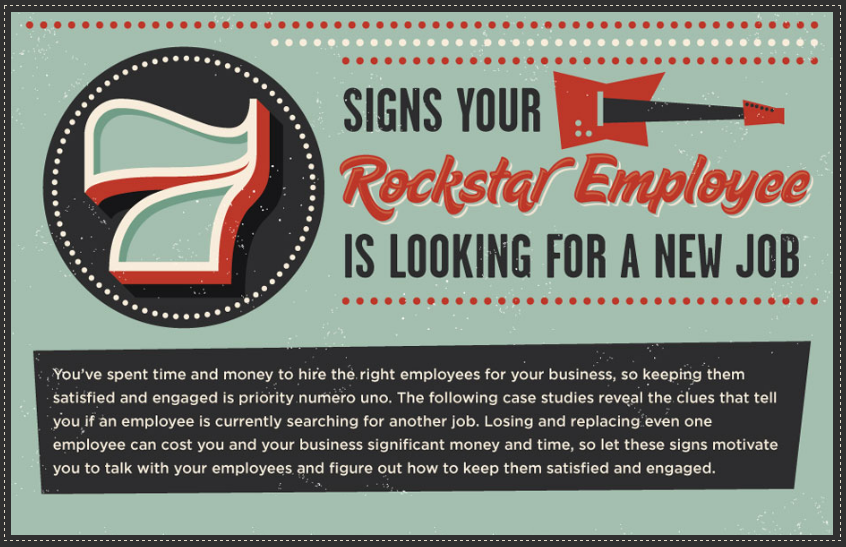
Our recent post : Signs An Employee Is Looking For A New Job

Signs An Employee Is Looking For A New Job


In this post reveal the clues that tell you if a worker or employee is presently looking for another job.

Signs An Employee Is Looking For A New Job

Reduced Productivity

Beth has been slacking off lately, missing deadlines, and submitting sloppy work. Chances are she's disenchanted with the work she is doing and is already formulating an exit plan, It's time to find a solution: Schedule a friendly sit-down meeting to ask her questions and find out how to resolve the problem.

Nicer Dresser

Your office dress code is fairly casual and your employee Bob typically shows up to work wearing slacks and sporting a tie on random days, and a few inquiries reveal that he wasn't attending funerals. So why the unusually nice dress? It's time to consider the possibility that Bob has been going to interviews with another company.

Isolation

Steve has been acting a little odd lately: taking personal calls at inopportune times, covering his mouth when he is talking, and generally acting suspiciously. You have noticed this pattern over the past few weeks and it seems like strange behavior for Steve, who is usually a straight arrow in the workplace. Of course, one or two incidents is no cause for alarm, but continued behavior should raise concerns about whether he is talking to a potential new employer.

Changes In The Work Ethic

In the past Susan was punctual, focused and hard working. But lately Susan has been complaining to coworkers about her work load and the fact that she should be doing more important things. The root problem is that she feels overworked and/or not properly utilized. The complaining and change in work ethic are meant to clue you in to the fact that she is unhappy with the current situation and feels she can find a better job.

Abnormal Requests For Time Off

You have noticed that Alice has been taking more sick days ever, but she doesn't appear to be even slightly ill when she comes to work. Furthermore, she has been showing up late and heading out a bit too early, so much so that coworkers noticing. This is a potential sign that she is increasingly disengaged and preparing to leave for a new job. She may even be trying to milk the sick leave and PTO for fear they will go unused.

Big Life Changes

Big life events, such as divorce, marriage, illness, death, and birth, may all be factors that result in an employee's departure. Jane just told you about her fiance, who lives on the other side of the country. It may be time to sit down and talk about her future plans, if she plans to move when she gets married, and so forth. A quick conversation demonstrates that you care about her future, ad also allows you to start preparing to fill her role as soon as possible. Emergency events may also arise, and it's necessary to figure out your short-term and long-term solution immediately.

Decreased Interaction With other Employees

Joe is one of your most outgoing employees and always has something to say, but lately he has become increasingly violent and isolated. This could be a sign that he is dissatisfied with his current position and possibly even looking for a new one elsewhere. Of course, personalities differ from person to person, but you ca use general social activity as a litmus test for an employee's job satisfaction. With that in mind, it's crucial to engage your employees on these issues as soon as possible to make sure you can do what you can to retain them.

Conclusion :
A lost employee will cost your company. Identify and address these problems early to keep your star employees working for you.

Source : Mindflash.com/signs-your-rockstar-employee-is-looking-for-a-new-job
Our recent posts :
The Holiday Hiring Best Practice Guide
Windows 8 Pro And Cons

Friday, October 26, 2012

Working With Virtual Assistants : Tips For Entrepreneurs

Here are useful tips for working with virtual assistants - what every entrepreneur needs to know!

Working With Virtual Assistants : Tips For Entrepreneurs | image

First things first, be realistic about this!
Outsourcing is not a quick-fix magic pill that can pop and expect everything to work perfectly from day one. So, don't expect too much from your VA (virtual assistant) right out of the gate.

Leverage your time - you know it makes sense!
The number one benefit of working with A VA is saving time, gaining more time and ultimately becoming more productive as an entrepreneur yourself.

Why Entrepreneurs should love freelanced
Hiring home based virtual assistants generally cost 50% less than working with a solution provider.

Don't make assumptions!
Assumptions make an ass out of you and me. Give very clear, distinct instructions on the tasks you're asking your virtual assistants to perform for you.

Invest time in developing your virtual assistant
Make sure you spend time training your VA to the point where they can work unassisted, and to a level that you're both going to be happy with, so that your relationship because a long-lasting one.

Set realistic task timelines
Think about all the parameters in place on each task and set a realistic task timeline.

Build trust with your virtual assistant
Build up trust, don't micromanage and become a virtual vulture of a boss! Show them that you believe in them and the work they are doing for you.

Give praise for a job well done!
Receiving praise makes your VA feel accomplished which is very important to the overall growth of your relationship together.

Always pay your virtual assistant on time
Always paying your VA on time will enable them to stay focused on their work and not worry about paying their bills, etc.

Have fun with this thing... You'll learn to love it!
Have fun with your new business relationship and most importantly, utilize your VA properly!


For more helpful tips on working with virtual assistants, hop over to Chrisducker.com.
Our recent post : Character Of The People Who Live On Internet.

Thursday, October 25, 2012

The Holiday Hiring Best Practice Guide

Read here the practical steps to ensure you hire the right seasonal employees.

Assess Your Needs
The Holiday Hiring Best Practice Guide
Your current staff simply can't accommodate all the needs you expect to have this holiday season. Look at your past sales activity during this time-frame to forecast your needs for reach day.
Start Early
It's true that 2 percent of retailers are still hiring seasonal employees in December, but if you want to scream of the crop you need to start hiring as early as possible. Think of this as year-round task. The earlier you begin the hiring process, the more time you have to gauge how well an employee fits in. As the years go by, build a database of former seasonal employees so you can hire the standouts again.
Train Often
A friendly and well-trained staff will do wonders for your sales, as it sets you apart from the competition - especially if you are a small business that can't slash prices like the big box stores. Take the time and money to train employees on the products they're selling, how to close a sale, and how to properly engage customers. Consider offering them free merchandise and discounts on your products so they become familiar with them.
Offer Incentives
If you are looking for full-time employees, let the seasonal know this. In a sense, this temporary employment is an extended two-month interview. If they know your intentions are to bring some of them on full-time, they will have an incentive to perform will to secure a future career with the company.
Put Them on Payroll
Failure to withhold taxes and/or offer the required benefits to seasonal employees could result in big losses for your business. Do your due diligence to ensure that you have them set up properly on payroll, thus avoiding a visit from the IRS or Department of Labor.

Previous post : The Working Study [infographic] By salary.com
Source : Mindflash.com/blog/infographic-tis-the-seasonal-worker-a-glimpse-at-the-temporary-employee-workforce-this-holiday-season

The Working Study [infographic] By salary.com

Understanding the relationship work plays in our lives is important to gain a complete snapshot of the workforce, If we can understand what individuals value about work, we can begin to paint a picture of the workplace and redesign the way business approaches its people. We can create a world in which people enjoy what they do - not some people, but all people. We can build a workforce that is committed to its jobs, engaged in work and enabled to perform at the highest levels. We.re not inventing a new workforce - we're simply creating a new canvas to the way we approach.

The Working Study : infographic
Conclusion : It tells us business need to evolve the way it looks at talent. IN a world where companies are fighting for good talent, having insight into what makes talent happy and drives them perform is key to quality recruitment and higher retention. Companies need to understand the value of work and how it varies for each individual. Why? Because America's workforce still values its work, from hourly to salary and part-time to full-time - remaining passionate and engaged in their jobs will drive them to innovate, create, plan, execute, build - and ultimately perform.
Source : http://www.salary.com/infographic-value-of-work
Recent post : Top 5 Fast-Growing I.T Jobs.

Wednesday, October 24, 2012

Evaluation Of Subscriber Engagement To Your Site

Email marketing may never be smooth sailing when it comes to subscriber engagement. This finicky relationship will always have to be nurtured with great care; however, doing so properly can achieve great results for your brand. Adopting the principles below can help to ensure delivery as well as keep subscribers engaged. Like, "Have your subscriber opt-in or double opt-in from the beginning of your relationship, this builds confidence and trust in your brand". Let see this infographic to know more about the "Evaluation of subscriber engagement to your site".